Buy unblocksource.eu ?
We are moving the project
unblocksource.eu .
Are you interested in purchasing the domain
unblocksource.eu ?
domain@kv-gmbh.de · 0541-91531010
Buy unblocksource.eu ?
Are all desktop shortcuts broken?
No, not all desktop shortcuts are broken. Desktop shortcuts can become broken if the original file or program they are linked to is moved, deleted, or renamed. However, if the original file or program is still present and accessible, the desktop shortcut should work properly. It's important to regularly check and update desktop shortcuts to ensure they remain functional. **
How does Windows 10 automatically create Quick Access shortcuts in File Explorer?
Windows 10 automatically creates Quick Access shortcuts in File Explorer based on the user's recent activity and frequently accessed folders. It tracks the folders and files that are opened, saved, or modified frequently and adds them to the Quick Access section for easy access. Additionally, users can manually pin folders to Quick Access for quick retrieval. This feature helps users quickly navigate to their most used files and folders, improving productivity and efficiency. **

Similar search terms for Shortcuts
Top-Angebote
Products related to Shortcuts:
-
Rolf Dobelli The Art of the Good Life: 52 Surprising Shortcuts to Happiness, Wealth, and Success - Non Fiction - HardbackTitle:. The Art of the Good Life: 52 Surprising Shortcuts to Happiness, Wealth, and Success Condition: BRAND NEW. Format: Hardcover. ISBN: 9780316445092 Overview:. From the author of The Art of Thinking Clearly, this hardcover edition presents a practical, thought-provoking guide to living well. The Art of the Good Life distills fifty-two compact, bite-sized shortcuts designed to help readers navigate the big questions of daily existence: What does it mean to live a good life? How do money, fate, mindset, and goal-setting shape our happiness and success? Each shortcut invites you to rethink habits, choices, and assumptions with clarity, offering actionable ideas that can be tested in everyday life. The tone is accessible, often witty, and always grounded in real-world relevance, making complex ideas feel doable rather than daunting. Ideal for busy professionals, curious students of philosophy and psychology, or anyone seeking a smarter path to personal growth, this book turns abstract ideals into practical steps. The hardcover format provides a durable, gift-worthy edition that sits nicely on a nightstand or a desk, ready to inspire daily reflection or quick reference during a busy week. What Makes This Book Stand Out:. Dobelli’s The Art of the Good Life stands out as a compact, rigorously designed toolbox for modern living. It brings together philosophy, behavioral science, and everyday experimentation into fifty-two concise shortcuts—each a standalone prompt you can apply instantly to increase happiness, wealth, and success. The book’s strength lies in its accessibility: dense ideas are translated into bite-sized, repeatable practices you can try during a commute, at work, or at home. Rather than sprawling treatises, these short chapters invite experimentation, feedback, and refinement, encouraging readers to tailor the wisdom to their own goals. The result is a practical guide that feels personable, trustworthy, and immediately useful for building better habits, smarter decisions, and a calmer, more purposeful everyday life. Who This Book Is Perfect For:. This is ideal for adults seeking a pragmatic guide to personal development, career advancement, and financial sense-making. Fans of The Art of Thinking Clearly, readers curious about the intersection of philosophy and psychology, and anyone who enjoys concise, idea-driven reads will find it compelling. It also makes a thoughtful gift for graduates stepping into independence, professionals pursuing clearer decision-making, or book clubs exploring modern approaches to happiness and success. With its structured, approachable format, it’s perfect for readers who want quick wins, long-term mindset shifts, and a reliable reference to revisit whenever life gets busy or challenging. Key Highlights:. 52 concise, practical shortcuts to happiness, wealth, and success. Blends philosophy, psychology, and behavioral science into everyday guidance. Short chapters designed for easy reading in busy lives....99,99 £*Shipping: 0,00 £Secure redirect to the provider
-
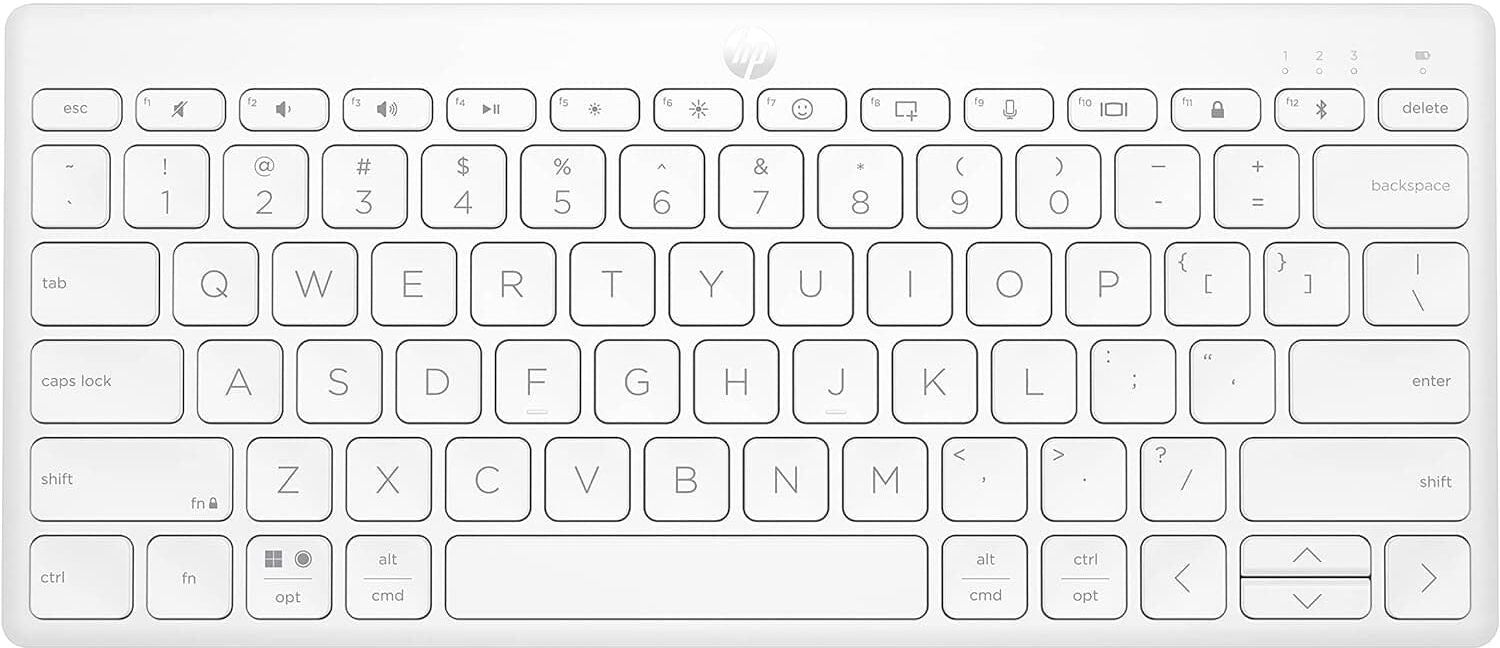
HP 350 Compact Bluetooth Keyboard, White, Connect up to 3 Devices via Bluetooth 5.2, Multi-OS, with SMART Shortcuts, Dictation and Emoji Keys, Recycled Materials, NewBrand HP Compatible devices PC Connectivity technology Bluetooth Keyboard description Flexible Colour White Hand orientation Ambidextrous34,99 £*Shipping: 0,00 £Secure redirect to the provider
-
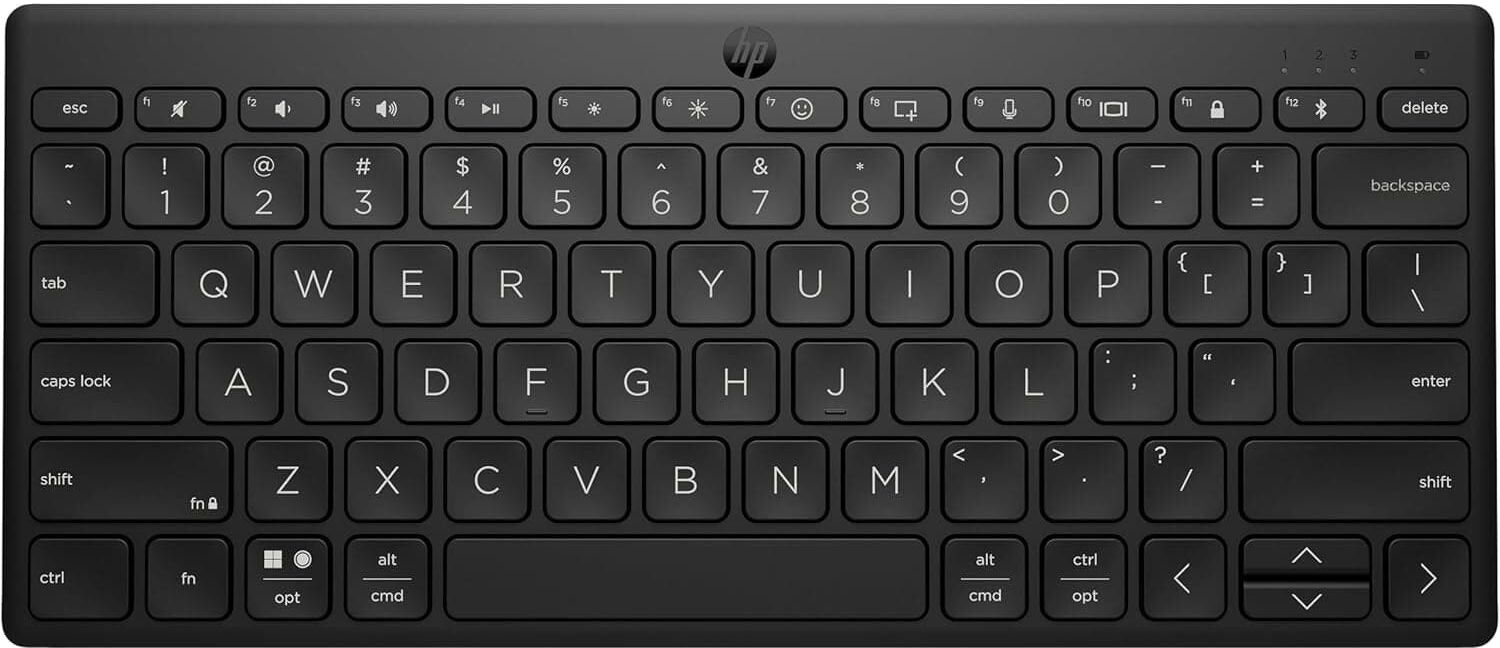
HP 350 Compact Bluetooth Keyboard. Connect up to 3 devices via Bluetooth 5.2, Multi-OS, with SMART shortcuts, dictation and emoji keys, made from 60% recycled materials, Black, NewBrand HP Compatible devices PC Connectivity technology Bluetooth Keyboard description Flexible Colour Black Number of keys 61 Style HP 350 Compact Bluetooth Keyboard Hand orientation Ambidextrous34,99 £*Shipping: 0,00 £Secure redirect to the provider


-
How does Windows 10 automatically create quick access shortcuts in File Explorer?
Windows 10 automatically creates quick access shortcuts in File Explorer based on the user's frequently accessed folders and recently opened files. It uses an algorithm that tracks user behavior to determine which folders and files are most commonly used. These shortcuts are displayed in the Quick Access section of File Explorer for easy access. Users can also manually pin folders and files to the Quick Access section for quick and convenient access. **
-
How do I delete shortcuts icons?
To delete shortcut icons on your computer, simply right-click on the shortcut icon you want to delete and select "Delete" from the dropdown menu. You can also select the shortcut icon and press the "Delete" key on your keyboard. Alternatively, you can drag the shortcut icon to the Recycle Bin to delete it. Remember that deleting a shortcut icon will not delete the actual program or file, it will only remove the shortcut from your desktop or folder. **
-
What are some funny keyboard shortcuts?
Some funny keyboard shortcuts include pressing "Ctrl + Alt + Delete" to bring up the task manager and "Command + Option + Escape" on a Mac to force quit an application. Another funny one is "Alt + F4" to close a window, which can be used to trick someone into thinking it will do something else. Additionally, "Ctrl + Z" to undo a mistake is a classic shortcut that can save the day in a funny way. **
-
How can one order using shortcuts?
One can order using shortcuts by using quick order options available on websites or mobile apps. Many food delivery services and restaurants offer the option to save favorite orders or create custom shortcuts for frequently ordered items. Additionally, some platforms allow customers to reorder their last meal with just a few clicks. By utilizing these shortcuts, customers can save time and easily place their orders without having to go through the entire menu selection process. **


What are some Minecraft Bedrock shortcuts?
In Minecraft Bedrock, there are several shortcuts that can help players navigate the game more efficiently. Some of these shortcuts include using the "quick move" button to quickly transfer items between the inventory and chests, using the "swap items" button to quickly switch items in the hotbar, and using the "sprint" button to move faster. Additionally, players can use the "auto-jump" feature to automatically jump when approaching a block, and they can use the "split" button to quickly divide stacks of items. These shortcuts can save time and make gameplay more convenient for players. **
Which computer shortcuts do you know?
I know several computer shortcuts such as Ctrl+C for copy, Ctrl+V for paste, Ctrl+Z for undo, Ctrl+S for save, and Ctrl+P for print. I also know Alt+Tab to switch between open applications, Ctrl+T to open a new tab in a web browser, and Ctrl+F to search for specific text on a webpage. These shortcuts help me navigate and perform tasks more efficiently on the computer. **
Top-Angebote
Products related to Shortcuts:
-
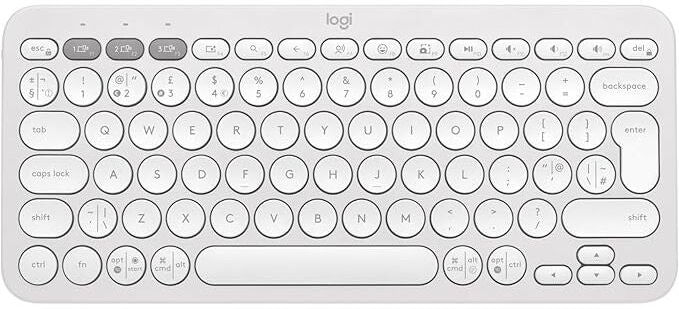
Logitech Pebble Keys 2 K380s Bluetooth Keyboard – Slim, Multi-Device, Customizable Shortcuts, UK QWERTY, Rose, NewOverview Type in style with the ultra-slim and modern Logitech Pebble Keys 2 K380s. Designed for multitaskers and minimalists alike, this compact Bluetooth keyboard connects effortlessly to Windows, macOS, iPadOS, Android, and Chrome OS devices. With Easy-Switch technology, customizable shortcuts, and a chic Rose finish, it's the ideal keyboard for work and life on the go. Product Description The Logitech Pebble Keys 2 K380s is a stylish, space-saving wireless keyboard built for flexibility and performance. Easily pair and switch between three devices using Bluetooth, whether you're working on a laptop, tablet, or smartphone. The low-profile keys deliver a quiet, comfortable typing experience, while customizable shortcuts let you personalize workflow efficiency. With universal OS compatibility and a slim, portable design, it's the perfect companion for modern, multi-device users. Key Features Multi-Device Connectivity: Connect and switch between up to 3 devices using Easy-Switch buttons. Bluetooth Wireless: Reliable, cable-free typing for laptops, tablets, phones, and more. Universal Compatibility: Works seamlessly with Windows, macOS, iPadOS, Android, and Chrome OS. Slim & Lightweight: Compact design fits easily in bags and on small desks. Customizable Shortcuts: Personalize keys via Logitech Options+ software to boost productivity. Quiet, Comfortable Typing: Low-profile keys provide a smooth, silent typing experience. QWERTY UK Layout: Familiar layout designed specifically for UK users. Elegant Rose Finish: A soft, stylish look that complements any workspace.34,90 £*Shipping: 0,00 £Secure redirect to the provider
-
Logitech Pebble Keys 2 K380s – Slim Bluetooth Keyboard, Multi-Device, QWERTY UK Layout, Custom Shortcuts - White, NewElevate your workspace with the Logitech Pebble Keys 2 K380s – Slim Bluetooth Keyboard, designed for modern multitaskers who value simplicity, style, and seamless performance. With its minimalist design and ultra-slim profile, this wireless keyboard blends perfectly into any setup — whether at home, in the office, or on the go. Effortlessly switch between devices, customize shortcuts, and enjoy a quiet typing experience that lets you stay focused and productive. Perfect for students, professionals, and tech enthusiasts, the Logitech K380s in White offers reliable Bluetooth connectivity and a QWERTY UK layout tailored to your everyday needs. ✅ Slim & Stylish Design – Ultra-thin keyboard with modern white finish that fits perfectly into any workspace. ✅ Multi-Device Connectivity – Effortlessly switch between up to 3 devices (Windows, macOS, ChromeOS, iPadOS, iOS, Android). ✅ Bluetooth Wireless Convenience – Connect without dongles or cables for a clean, clutter-free setup. ✅ QWERTY UK Layout – Full UK key format with familiar layout for fast and accurate typing. ✅ Customizable Shortcuts – Personalize keys using Logitech Options+ software for faster access to your favorite functions. ✅ Quiet, Comfortable Typing – Low-profile, rounded keys ensure silent, smooth keystrokes for long typing sessions. ✅ Compact & Portable – Lightweight and easy to carry, ideal for working from different locations. ✅ Long Battery Life – Up to 36 months of battery life with automatic sleep mode for energy efficiency. ✅ Eco-Friendly Packaging – Made with certified post-consumer recycled plastic and sustainable packaging. ✅ Universal Compatibility – Works with laptops, tablets, smartphones, and more across all major operating systems. The Logitech Pebble Keys 2 K380s is the perfect blend of design and functionality — offering smooth multi-device switching, quiet typing, and customizable controls in a beautifully slim form. Ideal for hybrid workers, creatives, and students, this Bluetooth keyboard delivers productivity and style in one compact solution. Upgrade your workspace with the Logitech K380s and enjoy effortless typing wherever life takes you.33,29 £*Shipping: 0,00 £Secure redirect to the provider
-
Rolf Dobelli The Art of the Good Life: 52 Surprising Shortcuts to Happiness, Wealth, and Success - Non Fiction - HardbackTitle:. The Art of the Good Life: 52 Surprising Shortcuts to Happiness, Wealth, and Success Condition: BRAND NEW. Format: Hardcover. ISBN: 9780316445092 Overview:. From the author of The Art of Thinking Clearly, this hardcover edition presents a practical, thought-provoking guide to living well. The Art of the Good Life distills fifty-two compact, bite-sized shortcuts designed to help readers navigate the big questions of daily existence: What does it mean to live a good life? How do money, fate, mindset, and goal-setting shape our happiness and success? Each shortcut invites you to rethink habits, choices, and assumptions with clarity, offering actionable ideas that can be tested in everyday life. The tone is accessible, often witty, and always grounded in real-world relevance, making complex ideas feel doable rather than daunting. Ideal for busy professionals, curious students of philosophy and psychology, or anyone seeking a smarter path to personal growth, this book turns abstract ideals into practical steps. The hardcover format provides a durable, gift-worthy edition that sits nicely on a nightstand or a desk, ready to inspire daily reflection or quick reference during a busy week. What Makes This Book Stand Out:. Dobelli’s The Art of the Good Life stands out as a compact, rigorously designed toolbox for modern living. It brings together philosophy, behavioral science, and everyday experimentation into fifty-two concise shortcuts—each a standalone prompt you can apply instantly to increase happiness, wealth, and success. The book’s strength lies in its accessibility: dense ideas are translated into bite-sized, repeatable practices you can try during a commute, at work, or at home. Rather than sprawling treatises, these short chapters invite experimentation, feedback, and refinement, encouraging readers to tailor the wisdom to their own goals. The result is a practical guide that feels personable, trustworthy, and immediately useful for building better habits, smarter decisions, and a calmer, more purposeful everyday life. Who This Book Is Perfect For:. This is ideal for adults seeking a pragmatic guide to personal development, career advancement, and financial sense-making. Fans of The Art of Thinking Clearly, readers curious about the intersection of philosophy and psychology, and anyone who enjoys concise, idea-driven reads will find it compelling. It also makes a thoughtful gift for graduates stepping into independence, professionals pursuing clearer decision-making, or book clubs exploring modern approaches to happiness and success. With its structured, approachable format, it’s perfect for readers who want quick wins, long-term mindset shifts, and a reliable reference to revisit whenever life gets busy or challenging. Key Highlights:. 52 concise, practical shortcuts to happiness, wealth, and success. Blends philosophy, psychology, and behavioral science into everyday guidance. Short chapters designed for easy reading in busy lives....99,99 £*Shipping: 0,00 £Secure redirect to the provider
-
Are all desktop shortcuts broken?
No, not all desktop shortcuts are broken. Desktop shortcuts can become broken if the original file or program they are linked to is moved, deleted, or renamed. However, if the original file or program is still present and accessible, the desktop shortcut should work properly. It's important to regularly check and update desktop shortcuts to ensure they remain functional. **
-
How does Windows 10 automatically create Quick Access shortcuts in File Explorer?
Windows 10 automatically creates Quick Access shortcuts in File Explorer based on the user's recent activity and frequently accessed folders. It tracks the folders and files that are opened, saved, or modified frequently and adds them to the Quick Access section for easy access. Additionally, users can manually pin folders to Quick Access for quick retrieval. This feature helps users quickly navigate to their most used files and folders, improving productivity and efficiency. **
-
How does Windows 10 automatically create quick access shortcuts in File Explorer?
Windows 10 automatically creates quick access shortcuts in File Explorer based on the user's frequently accessed folders and recently opened files. It uses an algorithm that tracks user behavior to determine which folders and files are most commonly used. These shortcuts are displayed in the Quick Access section of File Explorer for easy access. Users can also manually pin folders and files to the Quick Access section for quick and convenient access. **
-
How do I delete shortcuts icons?
To delete shortcut icons on your computer, simply right-click on the shortcut icon you want to delete and select "Delete" from the dropdown menu. You can also select the shortcut icon and press the "Delete" key on your keyboard. Alternatively, you can drag the shortcut icon to the Recycle Bin to delete it. Remember that deleting a shortcut icon will not delete the actual program or file, it will only remove the shortcut from your desktop or folder. **
Similar search terms for Shortcuts
-
HP 350 Compact Bluetooth Keyboard, White, Connect up to 3 Devices via Bluetooth 5.2, Multi-OS, with SMART Shortcuts, Dictation and Emoji Keys, Recycled Materials, NewBrand HP Compatible devices PC Connectivity technology Bluetooth Keyboard description Flexible Colour White Hand orientation Ambidextrous34,99 £*Shipping: 0,00 £Secure redirect to the provider
-
HP 350 Compact Bluetooth Keyboard. Connect up to 3 devices via Bluetooth 5.2, Multi-OS, with SMART shortcuts, dictation and emoji keys, made from 60% recycled materials, Black, NewBrand HP Compatible devices PC Connectivity technology Bluetooth Keyboard description Flexible Colour Black Number of keys 61 Style HP 350 Compact Bluetooth Keyboard Hand orientation Ambidextrous34,99 £*Shipping: 0,00 £Secure redirect to the provider
-
Uplift Essentials Smart WiFi Garage Door Controller Remote Access & Security Alarm Hub Smart WiFi Garage Door Controller Remote Access & Security Alarm HubUpgrade your home with the ultimate convenience of a smart garage door opener that puts complete control in the palm of your hand. This intelligent controller transforms your existing garage motor into a hightech security asset, allowing you to...84,97 $*Shipping: 0,00 $Secure redirect to the provider
-
Inspired Living SecureStay Stainless Steel Portable Door Lock Extra Privacy & Travel Security SecureStay Stainless Steel Portable Door Lock Extra Privacy & Travel SecurityWhen youre halfway across the world in a hotel, apartment, or shared room, peace of mind starts at the door. The SecureStay Stainless Steel Portable Door Lock is a compact, easytouse security solution perfect for travelers, renters, or anyone who...26,47 $*Shipping: 0,00 $Secure redirect to the provider
-
What are some funny keyboard shortcuts?
Some funny keyboard shortcuts include pressing "Ctrl + Alt + Delete" to bring up the task manager and "Command + Option + Escape" on a Mac to force quit an application. Another funny one is "Alt + F4" to close a window, which can be used to trick someone into thinking it will do something else. Additionally, "Ctrl + Z" to undo a mistake is a classic shortcut that can save the day in a funny way. **
-
How can one order using shortcuts?
One can order using shortcuts by using quick order options available on websites or mobile apps. Many food delivery services and restaurants offer the option to save favorite orders or create custom shortcuts for frequently ordered items. Additionally, some platforms allow customers to reorder their last meal with just a few clicks. By utilizing these shortcuts, customers can save time and easily place their orders without having to go through the entire menu selection process. **
-
What are some Minecraft Bedrock shortcuts?
In Minecraft Bedrock, there are several shortcuts that can help players navigate the game more efficiently. Some of these shortcuts include using the "quick move" button to quickly transfer items between the inventory and chests, using the "swap items" button to quickly switch items in the hotbar, and using the "sprint" button to move faster. Additionally, players can use the "auto-jump" feature to automatically jump when approaching a block, and they can use the "split" button to quickly divide stacks of items. These shortcuts can save time and make gameplay more convenient for players. **
-
Which computer shortcuts do you know?
I know several computer shortcuts such as Ctrl+C for copy, Ctrl+V for paste, Ctrl+Z for undo, Ctrl+S for save, and Ctrl+P for print. I also know Alt+Tab to switch between open applications, Ctrl+T to open a new tab in a web browser, and Ctrl+F to search for specific text on a webpage. These shortcuts help me navigate and perform tasks more efficiently on the computer. **
* All prices are inclusive of VAT and, if applicable, plus shipping costs. The offer information is based on the details provided by the respective shop and is updated through automated processes. Real-time updates do not occur, so deviations can occur in individual cases. ** Note: Parts of this content were created by AI.