Buy unblocksource.eu ?
We are moving the project
unblocksource.eu .
Are you interested in purchasing the domain
unblocksource.eu ?
domain@kv-gmbh.de · 0541-91531010
Buy unblocksource.eu ?
What is a watermark detector?
A watermark detector is a tool or software used to identify and extract watermarks embedded in digital images, videos, or documents. It works by analyzing the content and structure of the media file to locate the hidden watermark information. This technology is commonly used to verify the authenticity and ownership of digital content, as well as to prevent unauthorized use or distribution of copyrighted material. Watermark detectors are essential for content creators, publishers, and copyright holders to protect their intellectual property rights. **
How to create a watermark?
To create a watermark, you can use photo editing software like Adobe Photoshop or online tools like Canva. Start by designing your watermark, which can be a logo, text, or a combination of both. Adjust the opacity of the watermark to make it semi-transparent so that it doesn't overpower the image. Finally, overlay the watermark onto your image in a corner or across the center to protect your work from unauthorized use. **


Similar search terms for Watermark
Top-Angebote
Products related to Watermark:
-
Uplift Essentials Smart WiFi Garage Door Controller Remote Access & Security Alarm Hub Smart WiFi Garage Door Controller Remote Access & Security Alarm HubUpgrade your home with the ultimate convenience of a smart garage door opener that puts complete control in the palm of your hand. This intelligent controller transforms your existing garage motor into a hightech security asset, allowing you to...84,97 $*Shipping: 0,00 $Secure redirect to the provider
-
Inspired Living SecureStay Stainless Steel Portable Door Lock Extra Privacy & Travel Security SecureStay Stainless Steel Portable Door Lock Extra Privacy & Travel SecurityWhen youre halfway across the world in a hotel, apartment, or shared room, peace of mind starts at the door. The SecureStay Stainless Steel Portable Door Lock is a compact, easytouse security solution perfect for travelers, renters, or anyone who...26,47 $*Shipping: 0,00 $Secure redirect to the provider
-
Tools, Home & Hobby Honda CRV Retractable Cargo Cover Waterproof Privacy Trunk Security Shade Honda CRV Retractable Cargo Cover Waterproof Privacy Trunk Security ShadeKeep your cargo area private, organized, and protected wherever the road takes you. This Honda CRV cargo cover is custom designed for 20232025 CRV 5seater models, fitting neatly into the original trunk slots without drilling or tools. The flexible...179,97 $*Shipping: 0,00 $Secure redirect to the provider
-
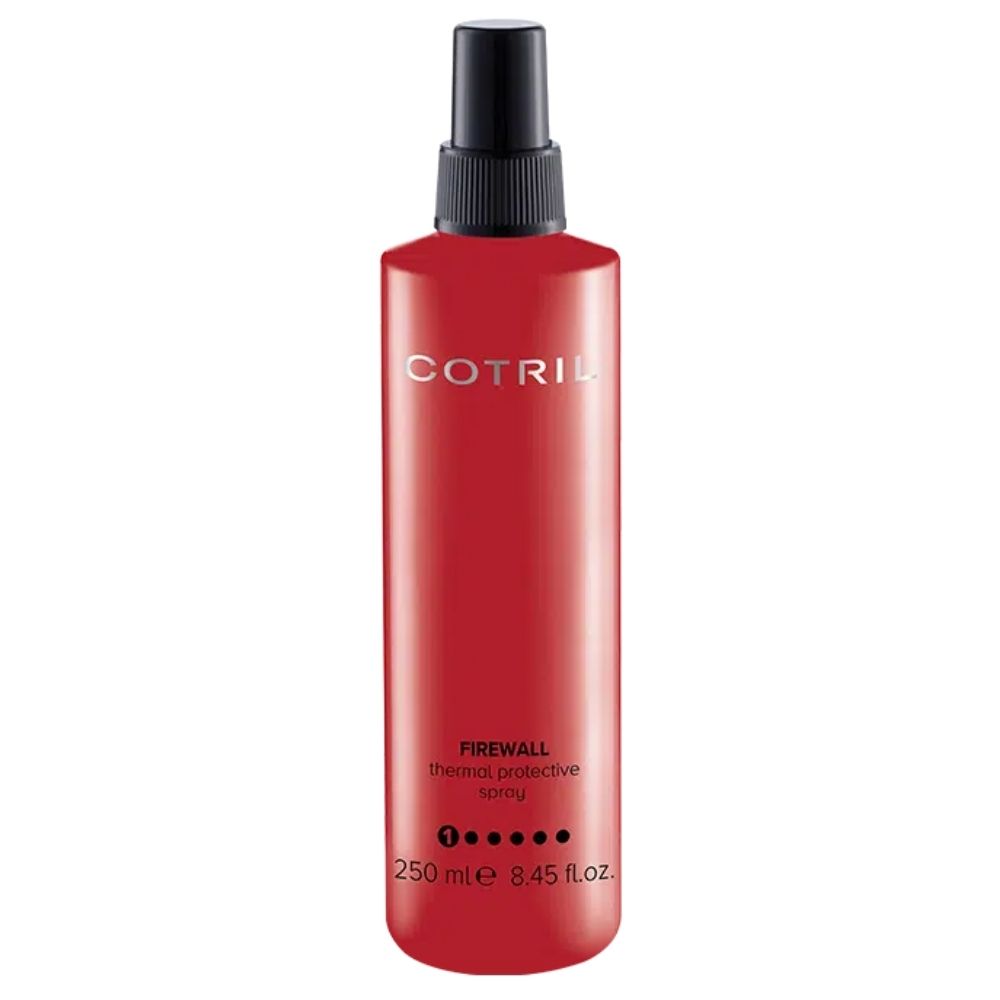
Cotril Styling Firewall Thermal Protective Spray 250mLA hair-care product for dry or dehydrated skin. Styling Firewall is a thermo-protective spray that protects hair from heat. This spray creates a film that surrounds the structure of the hair to prevent excessive dehydration and preserve color during drying. It seals the lengths and preserves the natural level of elasticity, shine and flexibility within them.14,59 £*Shipping: 6,86 £Secure redirect to the provider


-
Why are there no security features like a watermark on dollar bills?
There are no security features like a watermark on dollar bills because the paper used to print U.S. currency is already embedded with security features such as security threads, color-shifting ink, and microprinting. These features are designed to prevent counterfeiting and ensure the authenticity of the bills. Additionally, the intricate design and printing process of U.S. currency make it difficult for counterfeiters to replicate. **
-
Why don't dollar bills have security features like a watermark or similar?
Dollar bills do have security features, including a security thread and color-shifting ink. However, the design of the dollar bill has remained relatively consistent over the years, and the United States government has not felt the need to add additional security features like a watermark. The current security features are considered effective in deterring counterfeiting, and the government regularly updates and improves these features to stay ahead of counterfeiters. **
-
How do you create a watermark?
To create a watermark, you can use photo editing software like Adobe Photoshop or online tools like Canva. Start by designing your watermark, which can be a logo, text, or graphic. Adjust the opacity of the watermark to make it semi-transparent so it doesn't overpower the image. Finally, overlay the watermark onto your image in a corner or across the center to protect your work from unauthorized use. **
-
How do you print a watermark?
To print a watermark on a document, you can typically do so through the settings of your printer or using software like Microsoft Word. In the printer settings, you can usually find an option to add a watermark before printing. In Microsoft Word, you can insert a watermark by going to the "Design" tab, selecting "Watermark," and choosing from the available options. Make sure to adjust the opacity and position of the watermark as needed before printing. **


What can be done if a watermark appears on some photos despite the watermark being disabled?
If a watermark appears on some photos despite the watermark being disabled, there are a few potential solutions. First, check the settings on the device or software used to disable the watermark to ensure it was done correctly. If the issue persists, try re-saving the photos in a different file format or using a different image editing software to remove the watermark. If the problem still persists, reaching out to the customer support of the software or device used may provide additional troubleshooting steps or a resolution to the issue. **
Why are there no security features like a watermark or similar on dollar bills?
There are no security features like watermarks on US dollar bills because the bills already have multiple other security features that make counterfeiting difficult, such as color-shifting ink, security threads, and microprinting. These features are constantly updated and improved to stay ahead of counterfeiters. Additionally, the cost of adding additional security features like watermarks to every bill may outweigh the benefits, as the current security measures are already effective in deterring counterfeiting. **
Top-Angebote
Products related to Watermark:
-
Watermark Wallpaper in Beige & GreySmall scale marble is a wonderful way to create a sophisticated scheme to your space. Colours swirl making a delightful tone on tone composition. This is a perfect way to create uniformity within your home.52,49 $*Shipping: 0,00 $Secure redirect to the provider
-
E by Design Watermark Geometric Print Place Mat (Set of 4)Create a calm coastal environment in your home with a set of Watermark placemats from our Intercoastal Waterway Collection. Set your table with these placemats to add style to your dining space!41,94 $*Shipping: 0,00 $Secure redirect to the provider
-
Uplift Essentials Smart WiFi Garage Door Controller Remote Access & Security Alarm Hub Smart WiFi Garage Door Controller Remote Access & Security Alarm HubUpgrade your home with the ultimate convenience of a smart garage door opener that puts complete control in the palm of your hand. This intelligent controller transforms your existing garage motor into a hightech security asset, allowing you to...84,97 $*Shipping: 0,00 $Secure redirect to the provider
-
Inspired Living SecureStay Stainless Steel Portable Door Lock Extra Privacy & Travel Security SecureStay Stainless Steel Portable Door Lock Extra Privacy & Travel SecurityWhen youre halfway across the world in a hotel, apartment, or shared room, peace of mind starts at the door. The SecureStay Stainless Steel Portable Door Lock is a compact, easytouse security solution perfect for travelers, renters, or anyone who...26,47 $*Shipping: 0,00 $Secure redirect to the provider
-
What is a watermark detector?
A watermark detector is a tool or software used to identify and extract watermarks embedded in digital images, videos, or documents. It works by analyzing the content and structure of the media file to locate the hidden watermark information. This technology is commonly used to verify the authenticity and ownership of digital content, as well as to prevent unauthorized use or distribution of copyrighted material. Watermark detectors are essential for content creators, publishers, and copyright holders to protect their intellectual property rights. **
-
How to create a watermark?
To create a watermark, you can use photo editing software like Adobe Photoshop or online tools like Canva. Start by designing your watermark, which can be a logo, text, or a combination of both. Adjust the opacity of the watermark to make it semi-transparent so that it doesn't overpower the image. Finally, overlay the watermark onto your image in a corner or across the center to protect your work from unauthorized use. **
-
Why are there no security features like a watermark on dollar bills?
There are no security features like a watermark on dollar bills because the paper used to print U.S. currency is already embedded with security features such as security threads, color-shifting ink, and microprinting. These features are designed to prevent counterfeiting and ensure the authenticity of the bills. Additionally, the intricate design and printing process of U.S. currency make it difficult for counterfeiters to replicate. **
-
Why don't dollar bills have security features like a watermark or similar?
Dollar bills do have security features, including a security thread and color-shifting ink. However, the design of the dollar bill has remained relatively consistent over the years, and the United States government has not felt the need to add additional security features like a watermark. The current security features are considered effective in deterring counterfeiting, and the government regularly updates and improves these features to stay ahead of counterfeiters. **
Similar search terms for Watermark
-
Tools, Home & Hobby Honda CRV Retractable Cargo Cover Waterproof Privacy Trunk Security Shade Honda CRV Retractable Cargo Cover Waterproof Privacy Trunk Security ShadeKeep your cargo area private, organized, and protected wherever the road takes you. This Honda CRV cargo cover is custom designed for 20232025 CRV 5seater models, fitting neatly into the original trunk slots without drilling or tools. The flexible...179,97 $*Shipping: 0,00 $Secure redirect to the provider
-
Cotril Styling Firewall Thermal Protective Spray 250mLA hair-care product for dry or dehydrated skin. Styling Firewall is a thermo-protective spray that protects hair from heat. This spray creates a film that surrounds the structure of the hair to prevent excessive dehydration and preserve color during drying. It seals the lengths and preserves the natural level of elasticity, shine and flexibility within them.14,59 £*Shipping: 6,86 £Secure redirect to the provider
-
Inspired Deals 433MHz Wireless Garage Door Keypad With Rolling Code Security And Dual Channel PIN Access 433MHz Wireless Garage Door Keypad With Rolling Code Security And Dual Channel PIN AccessEnjoy the freedom to enter your garage without carrying a key or handheld remote. This garage door keypad provides convenient PINbased access with two independent password sets, making it practical for families, staff, or shared properties....64,97 $*Shipping: 0,00 $Secure redirect to the provider
-
Watermark Wallpaper in Taupe, Stone & GreySmall scale marble is a wonderful way to create a sophisticated scheme to your space. Colours swirl making a delightful tone on tone composition. This is a perfect way to create uniformity within your home.49,49 $*Shipping: 0,00 $Secure redirect to the provider
-
How do you create a watermark?
To create a watermark, you can use photo editing software like Adobe Photoshop or online tools like Canva. Start by designing your watermark, which can be a logo, text, or graphic. Adjust the opacity of the watermark to make it semi-transparent so it doesn't overpower the image. Finally, overlay the watermark onto your image in a corner or across the center to protect your work from unauthorized use. **
-
How do you print a watermark?
To print a watermark on a document, you can typically do so through the settings of your printer or using software like Microsoft Word. In the printer settings, you can usually find an option to add a watermark before printing. In Microsoft Word, you can insert a watermark by going to the "Design" tab, selecting "Watermark," and choosing from the available options. Make sure to adjust the opacity and position of the watermark as needed before printing. **
-
What can be done if a watermark appears on some photos despite the watermark being disabled?
If a watermark appears on some photos despite the watermark being disabled, there are a few potential solutions. First, check the settings on the device or software used to disable the watermark to ensure it was done correctly. If the issue persists, try re-saving the photos in a different file format or using a different image editing software to remove the watermark. If the problem still persists, reaching out to the customer support of the software or device used may provide additional troubleshooting steps or a resolution to the issue. **
-
Why are there no security features like a watermark or similar on dollar bills?
There are no security features like watermarks on US dollar bills because the bills already have multiple other security features that make counterfeiting difficult, such as color-shifting ink, security threads, and microprinting. These features are constantly updated and improved to stay ahead of counterfeiters. Additionally, the cost of adding additional security features like watermarks to every bill may outweigh the benefits, as the current security measures are already effective in deterring counterfeiting. **
* All prices are inclusive of VAT and, if applicable, plus shipping costs. The offer information is based on the details provided by the respective shop and is updated through automated processes. Real-time updates do not occur, so deviations can occur in individual cases. ** Note: Parts of this content were created by AI.